Local SEO · Guide
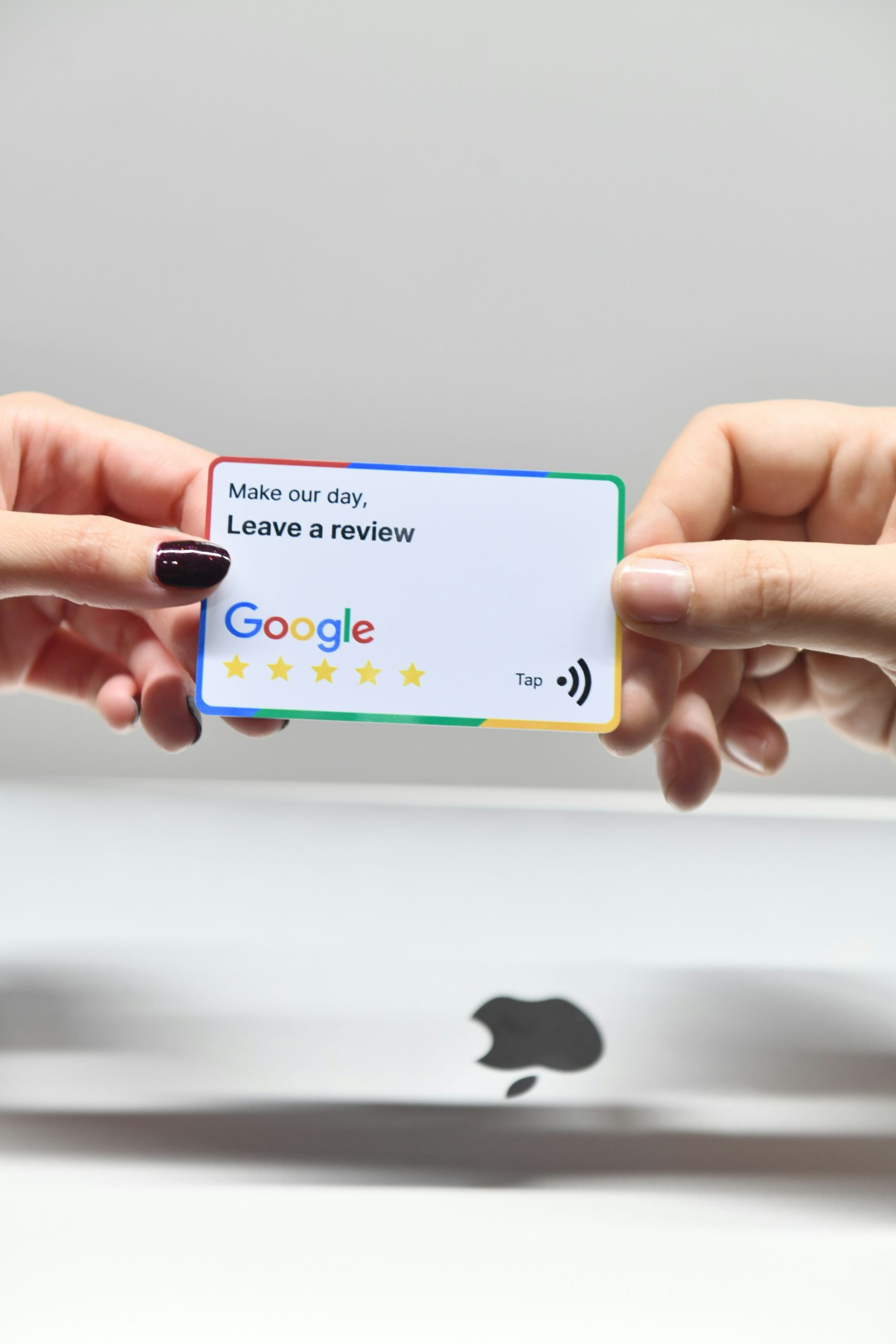
If you run a local business and you’re trying to get found on Google, there is one lever that pulls more weight than everything else you could do in a week: your Google reviews. More of them. Recent ones. Replied to.
Reviews are the single biggest signal Google uses to decide whether you deserve to sit in the map pack when someone nearby searches. They’re also the thing most businesses quietly avoid, because asking for a review feels awkward, or pushy, or like you’re admitting you need the help. This guide fixes all of that. No scripts that read like a hostage note, no software you don’t need, no tricks that’ll get your profile suspended. Just what works.
1. Why reviews are the #1 lever for local rankings
When someone types “plumber near me,” “accountant near me,” or “best Sunday roast” into their phone, Google has to pick three businesses to show in the map pack, and it has seconds to do it. It uses a mix of relevance, distance, and prominence. Prominence is the fuzzy one. It’s how well-known and trusted your business looks to Google, and reviews are the loudest thing in that signal.
A business with 80 reviews at a 4.8-star average will almost always outrank a business with 6 reviews at 5.0 stars, even if the second one is closer and arguably better. That’s not fair. It’s just how the system works. If you’ve read our guide to “near me” searches, you’ll remember that prominence is one of the three ranking factors you actually have control over, and reviews are the fastest way to move it.
Reviews also do a second job: they convert. Someone searching “boiler repair near me” at 7am is going to tap the first business with a strong star rating and a wall of recent positive reviews. If yours is the one they see, you’re booked before breakfast. No ads, no website copy, no clever marketing. Reviews did the selling for you.
2. What Google actually weighs: count, recency, response rate
Three numbers matter more than the rest.
- Count: the total number of reviews you have. More is better, full stop. Aim for 50+ as a floor, 100+ to dominate.
- Recency: when your most recent review came in. A business with 60 reviews and nothing in the last six months looks dead to Google. A business with 30 reviews and one every two weeks looks alive.
- Response rate: how many reviews you’ve replied to. Replying to reviews is a signal that you’re engaged with your profile and, by extension, your customers. It’s free, takes a minute, and most of your competitors don’t bother.
The average star rating matters too, but less than people think. Anything between 4.4 and 4.9 is roughly equivalent in Google’s eyes, and a profile with 4.7 stars and hundreds of reviews looks more trustworthy to a human than a 5.0 with seven. Don’t chase the perfect score. Chase the volume, the freshness, and the engagement.
The uncomfortable truth: if your last review came in nine months ago, Google quietly assumes you’re either not trading or not worth showing. A steady trickle is better than an annual burst.
3. When to ask: the only moment that really works
The reason most businesses get almost no reviews is that they ask at the wrong moment. A week later, by email, after the customer’s already moved on. By then they’ve forgotten how pleased they were and opening the email feels like a chore.
The moment to ask is the peak-happiness moment: the exact point where the customer is visibly, genuinely pleased with what you’ve just done. For a trades business, that’s standing in the kitchen with the new boiler humming and the customer saying “brilliant, thank you.” For a restaurant, it’s when they’re paying the bill and telling you the lamb was amazing. For an accountant, it’s the email they send you after their self-assessment is filed and they’ve realised how painless it was.
If you miss that moment, the response rate to a review request drops by roughly half every 24 hours. Same day, same hour is the gold standard. If you can’t ask in person, send a text or WhatsApp while you’re still in the van on the way to the next job. Not an email. Not tomorrow.
4. How to ask: scripts that don’t feel like begging
Most people struggle to ask because the phrases that come to mind sound needy. “Would you mind leaving us a review if you get a chance?” is a fine sentence that produces almost zero reviews, because it gives the customer too many places to say no.
Here are three ways to ask that work in the real world, in the order you should try them.
In person: the best of the three
“Really glad you’re happy with it. Reviews on Google are honestly huge for us. Would you have a minute to leave one now? I can send you the link.”
Three things are doing the work here. You named the action (Google review), you explained why it matters (“honestly huge for us” works because people like helping small businesses), and you offered to do the hard part (send the link). They’ll do it while you’re packing up the van.
By text, same day
“Hi [Name], Matt here from [Business]. Really pleased we could sort that for you today. If you’ve got a spare minute, leaving us a quick Google review would mean a lot. Here’s the direct link: [short link]. Thanks either way, and call anytime if anything else comes up.”
“Thanks either way” is the key: it removes the social pressure that makes people ghost you instead of saying no.
By email: only if the first two aren’t possible
Keep it three sentences long. The review link is the first thing they see. No preamble. No “I hope this email finds you well.”
“The businesses that get 100 reviews aren’t lucky. They just asked 100 times, at the right moment, and made it easy to say yes.”
5. Making it stupid-easy: short links, QR codes, follow-ups
Every extra tap a customer has to take between “yes, happy to leave a review” and a review actually appearing on your profile costs you about 30% of the people who said yes. Your job is to remove taps.
- Get your direct review link. In your Google Business Profile dashboard, there’s a “Get more reviews” button that generates a short URL (
g.page/r/...) which opens the review form directly. That’s the link you want in your texts, emails, and invoices. - Turn it into a QR code. Free tools will turn any URL into a QR code. Stick it on your invoice, your receipt, the back of your business card, a card on the restaurant table, the sign above the till. A customer can scan and be leaving a review in under five seconds.
- Add the review link to your email signature. Every email you send ever again is now a gentle, no-pressure review ask.
- One polite follow-up. If they said yes and didn’t do it, nudge once after 48 hours. Not twice. “Just a quick one: did you manage to leave that review? Link’s here if it’s easier: [link].” About a third of no-shows will convert on the follow-up.
None of this requires software. You can run all of this from your phone with notes, texts, and a QR code printed at Ryman. If you want to systematise it later, there are tools for that, but don’t let the tool shopping stop you asking today.
6. What to do about a bad review
At some point, somebody is going to leave you a one-star. It’ll feel personal. It isn’t. It’s just mathematics. Every business gets them eventually, and a single unfavourable review inside a wall of strong ones actually makes your profile look more credible, not less. People trust a business that has a mix more than one with suspiciously perfect scores.
Reply, always. Within 24 hours if you can. Here’s the structure:
- Thank them for the feedback. Yes, even if it’s unfair.
- Acknowledge what they said without admitting to anything you didn’t do.
- Offer to make it right off-platform. “I’d love the chance to put this right. Could you email me on hello@… so I can look into what happened?”
- Keep it short, keep it polite, never get drawn in. Future customers are the real audience of your reply, not the person who left the review.
A calm, professional reply to a bad review does more to convert the next reader than five more five-stars would. Show people how you handle problems. That’s the real review.
What if the review is fake?
If a review is clearly fake (a competitor, a bot, someone who was never a customer) you can flag it through your Google Business Profile for removal. It’s a slow process and Google doesn’t always play ball, but reply to it publicly in the meantime with something like: “We don’t have a record of this visit. Could you email hello@… so we can look into it?” That alone signals to everyone reading that this one is dubious.
7. What NOT to do (the stuff that gets you suspended)
Google’s own guidance on getting more reviews is stricter than most people realise, and profile suspensions happen quietly and painfully. Avoid all of this:
- Don’t offer discounts or freebies for reviews. Not “leave us a review and get 10% off.” Not a prize draw. Not a free coffee. This is a direct policy violation and the fastest way to get reviews wiped or your profile flagged.
- Don’t write reviews for your own business, ever. Not from your personal account, not from your partner’s, not from an ex-employee’s. Google is very good at spotting this.
- Don’t buy reviews. Services offering “50 five-star reviews for £100” exist and they will get your profile suspended. Possibly permanently.
- Don’t review-gate. That’s when you filter customers (“if you’d rate us 5 stars, leave a Google review; if less, email us instead”). Also against policy.
- Don’t ask from the business premises’s wifi in bulk. If ten reviews all appear from the same IP address on the same day, Google notices.
Stick to: real customers, peak-happiness moment, direct link, nothing in exchange. That’s all it takes, and it’s all that’s safe.
8. A 30-day plan for a business starting from zero
If you’ve read this far and you’ve got three reviews and a haunted-looking profile, here’s what to do for the next month. This is what we’d set up for a client in their first month of working with us.
Week one: get the infrastructure in place
- Generate your direct review short link from Google Business Profile.
- Turn it into a QR code. Print 20 copies. Put them where customers are: invoices, receipts, till area, vehicle, business cards.
- Add the review link to your email signature.
- Write a three-sentence SMS template and save it on your phone.
Week two: ask every happy customer, every day
- Make asking part of your routine. Every completed job, every paid bill, every positive email. Ask. In person first, text second.
- Aim for one new review per working day. That’s 20 a month, 240 a year. That changes your ranking.
Week three: go back through your customer list
- Pick 30 recent customers you never asked. Send each one a short, personal message with the review link. Expect roughly a 20% response rate. That’s another six reviews for an hour’s work.
Week four: reply to everything, set the habit
- Go back through every review you’ve ever had and reply to the ones you missed. Thank the positive ones by name. Address the negative ones calmly.
- Block out 15 minutes every Monday morning to reply to any new reviews from the previous week. Make it a standing slot. This alone will put you ahead of 90% of local competitors.
Do that for a month and your profile will look actively traded, engaged, and trustworthy. Google notices. Your rankings will start moving in weeks, not months, especially if you combine it with the other basics covered in our full guide to optimising your Google Business Profile.
If you’d rather have us set this up for you (the review link, the QR codes, the SMS templates, the reply cadence, the monthly monitoring) that’s exactly what our Local SEO service includes. Book a free audit and we’ll show you exactly where your profile sits against your competitors, and what it’d take to overtake them.
Want help putting this into practice?
Book a free initial consultation and we’ll map out the fastest way to turn more happy customers into the reviews that move your rankings.
Book a call