Case Study

Anatomy of a 6.6× return: why a growth system beats one-off tactics

8 Jun 2026 · 8 min read

Anatomy of a 6.6x return: a connected growth system case study

Most businesses don’t have a marketing problem. They have a system problem. They’ve bought a tactic, a new website here, a burst of ads there, an email now and again, and each one does a little, but nothing compounds. The pieces don’t talk to each other, so the whole thing underperforms the sum of its parts.

Growth is what happens when those pieces are connected on purpose. To show what that actually looks like, here’s a real client, a real six months, and the real numbers, including the ones that are still building.

The client: a good business that wasn’t converting its potential

Workplace Mindfulness, founded by Jamie, delivers workplace wellbeing programmes that genuinely help the teams they work with. The product was strong and the reputation was real. What wasn’t happening was conversion: attention wasn’t reliably turning into enquiries, and enquiries weren’t reliably turning into booked calls and clients.

That’s a very common place to be stuck. It isn’t a lack of effort or a bad business. It’s that the journey from “someone could use this” to “someone has booked a call” has friction in it, and no single tactic fixes friction. So instead of selling Jamie one service, we built a system.

The system: four parts, designed to work together

The point of a growth system is that each part makes the next part work harder. Connected this way, the four pieces become a predictable lead generation system rather than four disconnected tactics. Here’s how the four pieces fit.

1. A website built to convert, not just to look good

We rebuilt the website so it actually did a job: speak clearly to the right people in the wellbeing space, and make the next step obvious. A beautiful site that doesn’t convert is decoration. A site built around the visitor’s decision is infrastructure. Everything downstream, the ads, the emails, the bookings, lands on this page, so getting it right multiplies everything else.

2. Google Ads to reach the right people at the right moment

With a page worth sending traffic to, we ran Google Ads to put the business in front of people actively looking, rather than waiting to be found. This is the difference between renting hope and buying intent: you’re reaching someone at the moment they want what you do. But ads are only as good as the page they point at and the follow-up behind them, which is exactly why we didn’t run them in isolation.

3. A booking path with the friction removed

We tightened the whole journey from first click to booked call, including a frictionless self-booking path. The result: half of all enquiries now self-book a call via the calendar, no email tag, no waiting, no drop-off. Removing that friction is quietly one of the highest-leverage changes a business can make, because every step you delete is a step where people used to disappear.

4. An email programme that does more with less

Finally, we sharpened the email marketing, sending less, but better. By being more relevant and less frequent, the programme now drives double the enquiries from half the send volume, with fewer unsubscribes. That’s the compounding effect in miniature: a smaller, better-targeted effort outperforming a bigger, blunter one.

The results: six months in

Here’s what the connected system produced. These are this client’s genuine figures, and where a result is still building we say so rather than dress it up.

6.6×
return on Google Ads spend
Doubled
inbound enquiries in the first month
+146%
more guide downloads in the first month
6 in 7
booked calls now convert

The number we’re proudest of isn’t actually the 6.6×. It’s the 6-in-7 conversion on booked calls. That figure is what tells you the system is working end to end: the right people are arriving, the journey is sending genuinely interested prospects into the calendar, and by the time Jamie speaks to them they’re ready. High ad returns are good. High ad returns and a near-perfect close rate is a machine. Average deal size is climbing too, as the business moves into larger programmes.

“Matt really took the time to understand what we do and why it matters. The whole process was straightforward and stress-free, which is exactly what you want. I’d recommend him to anyone.” — Jamie, Workplace Mindfulness

Why it worked: the parts compounded

If you’d run any one of those four pieces on its own, you’d have got a fraction of the result. A new website with no traffic is a brochure nobody reads. Ads pointed at a weak page burn money. A slick booking link no one reaches books nothing. Great emails to a list that never grows plateau.

Run together, they compound. The ads feed a page built to convert. The page funnels people into a booking path with no friction. The email programme keeps the people who aren’t ready yet warm until they are. Each part raises the ceiling on the others, and that compounding is the entire reason a 6.6× return is even possible. It didn’t come from spending more. It came from the pieces finally working as one.

The businesses that grow fastest aren’t the ones with the cleverest single tactic. They’re the ones whose tactics stopped working against each other.

What this means for your business

This client happens to be in wellbeing, but nothing about the approach is specific to that sector. We’ve applied the same thinking to a jeweller, a construction firm and a golf studio, and the principle holds everywhere: growth is a system, not a purchase. Whatever you sell, the questions are the same. Are you reaching the right people? Does what they land on convince them? Is it effortless to take the next step? And does something keep the not-yet-ready ones warm?

If the honest answer to any of those is “not really,” that’s where the growth is hiding, and usually it’s a conversion or a journey problem, not a traffic problem. You don’t need more tactics. You need them connected.

That’s the work we do, and it’s the conversation we’re always happy to have, honestly and with no pitch. If you’d like to see where your own growth is hiding, get in touch to book a free initial consultation and we’ll map out the fastest wins together.

Want to see where your growth is hiding?

Book a free initial consultation. We’ll look at how your website, ads, email and booking journey work together, and where the biggest, fastest wins are. No pitch, no pressure.

Book a call
← Back to all guides

Google Ads

We once paid for a lead called “Micky Mouse”

8 Jun 2026 · 9 min read

Why shared directory leads fail financial advisers

What buying financial-adviser leads taught me about the difference between renting enquiries and owning the intent you pay for.

The enquiry from Micky Mouse

For several years before Woodwise Media, I worked inside an FCA-regulated financial advice firm. One of the things I was responsible for was making the firm’s lead spend actually work, turning a marketing budget into enquiries, and enquiries into clients the advisers could genuinely help.

Like a lot of advice firms, we bought leads from a well-known adviser directory. You pay a subscription, and then you pay a fee for each enquiry the platform passes to you. The promise is simple: people looking for advice land on the directory, fill in a form, and you get their details.

One morning, a lead came through. The name on the form was “Micky Mouse.” We had paid for it.

It would be funny if it were rare. It wasn’t the worst lead we ever paid for, just the most memorable. There were the wrong phone numbers, the people who had no memory of enquiring, the tyre-kickers with nothing to invest, and the contacts who had already been called by three other firms before we got to the phone. Micky Mouse was simply the moment the penny dropped: we didn’t really own any of this. We were renting names, and hoping.

Why it isn’t a one-off: the economics of a rented lead

The directory model isn’t a scam. For some firms it ticks over fine. But it’s worth being honest about how it actually works, because the economics explain the Micky Mouse problem.

Most adviser directories run on two layers of cost: a recurring subscription, plus a pay-per-enquiry fee that can sit at roughly £50 or more (plus VAT) for each lead, depending on the plan. And, crucially, many of those enquiries are shared. The same person who filled in one form is often passed to several firms at once. You aren’t buying a relationship. You’re buying a name, at the same moment your competitors buy it too.

That changes everything about the call that follows. You’re not reaching someone who chose you. You’re racing two or three other advisers to the phone, to speak to a person who filled in a generic form and may not remember which website it was on. The fastest dialler tends to win, the quality is wildly inconsistent, and you’re paying for the privilege either way.

A directory lead is access to a name. It is not ownership of a relationship, and it never becomes one.

The difference nobody explains: buying leads vs buying intent

Here’s the distinction that took me far too long to see clearly. There is a real difference between buying a lead and buying intent.

A directory lead is a contact detail, a name and number that a platform sold you (and possibly sold to others). A Google Ads click is something different. It’s a person who, at that exact moment, typed into Google that they want a financial adviser, a pension review, advice on a transfer, help planning for retirement, and then chose to click your ad and land on your page. That’s not a name on a list. That’s intent, captured at the precise moment it exists.

And when you run your own ads, you own that intent end to end:

  • The search term that triggered the click is yours to learn from.
  • The landing page they arrive on is yours, written to do one job.
  • The enquiry is exclusive, it isn’t simultaneously sitting in three competitors’ inboxes.
  • The data and the follow-up are yours to keep and improve.

The shared directory lead disappears the moment a competitor calls first. The enquiry you generated yourself doesn’t. You can follow it up on your terms, nurture it, and learn from it, because it was never anyone else’s to begin with.

“But finance clicks are expensive” — the honest numbers

I won’t pretend the clicks are cheap. Financial-services keywords are some of the more competitive in the UK, and adviser terms can run anywhere from around £5 to £20+ per click depending on what you’re bidding on (these are indicative 2026 ranges, not a quote, and they move around). Broad, generic terms like “financial adviser” sit at the painful end. Long-tail, specific terms, the equivalent of “retirement advice for company directors” or “pension transfer adviser” in a particular niche, tend to be cheaper and far better qualified.

But cost-per-click is the wrong number to fixate on. The number that matters is cost per genuine enquiry, and what that enquiry is worth to you. A handful of pounds per click that produces an exclusive, well-qualified enquiry you own outright can work out far better value than a “cheaper” shared lead you split with competitors and chase down a dead phone number, like Micky Mouse.

The trick isn’t spending more. It’s spending precisely, on the right searches, with a page built to convert them, and tracking that tells you which clicks actually turn into clients.

“Are we even allowed to advertise?”

This is usually the real, unspoken hesitation, and it’s a fair one. But I’m a marketer, not a compliance consultant, so I’m not going to tell you what your firm can or can’t say. That’s a line only your compliance function (or your principal or network) can draw, and it should be.

What I can tell you from experience is that plenty of authorised firms advertise their own services perfectly happily. The approach that works is simple: build the ads and the landing page to be clear, fair and balanced from the start, and run everything past your compliance sign-off before it goes live. Done that way, it’s far less of a headache than most advisers expect.

We build campaigns to be compliant by design and route everything through your team for approval. We never position ourselves as the people who decide what’s compliant, that’s always your call.

What actually works instead: owned, intent-led acquisition

So what does “owning your pipeline” look like in practice? Not a sprawling account bidding on every finance term under the sun. The firms that make this work tend to share four things:

  • Tight, intent-led targeting. A focused set of long-tail searches that match the clients you actually want, not broad terms that burn budget on the merely curious.
  • A landing page that does one job. Not your homepage. A single, compliant page that speaks to that specific search and makes enquiring easy.
  • Conversion tracking that tells the truth. You should know which searches and clicks become real enquiries, so budget flows to what works and away from what doesn’t.
  • Active, ongoing management. We audit ad accounts every week. Search terms get refined, wasted spend gets cut, and the account gets sharper over time rather than drifting.

That’s the whole point of owning the channel rather than renting leads from a directory: every week, it gets a little more efficient, and every enquiry it produces is yours alone.

Proof it isn’t just theory

I’ve now seen this from both sides, from inside an advice firm watching the lead spend, and from the agency side running campaigns for clients. The principle holds: own your intent, build a tight funnel, and measure what converts.

One example from a different sector makes the point. We worked with a wellbeing business, Workplace Mindfulness case study, where the whole journey was tightened from first click to booked call. Their Google Ads delivered a 6.6× return on ad spend, and once the funnel was right, 6 in 7 booked calls converted. That’s a different industry, and the full result came from the whole funnel working together, not a single button. But the lesson travels directly to advice firms: when you own the intent and remove friction from the journey, you stop renting hope and start building a pipeline you control.

If your pipeline depends on leads you don’t own

Here’s the uncomfortable question Micky Mouse left me with, and the one worth sitting with if your new business runs on bought-in leads: if every enquiry you pay for is shared with your competitors and could vanish to whoever calls first, who actually owns your pipeline, you or the directory?

You don’t have to switch everything off overnight. But it’s worth knowing, honestly, where your enquiries come from, what they really cost once you account for the junk, and whether owned, intent-led acquisition could quietly replace the rented kind.

If you’d like a straight answer on that for your firm, that’s exactly the conversation we’re happy to have, no pitch, no pressure. Get in touch to talk through your adviser lead generation, and if you want the full, account-level detail of how we build compliant Google Ads for advice firms, we’ve put it in a deeper guide we can share.

A note on compliance. This article is general marketing guidance for regulated firms and is not legal, compliance or financial-promotions advice. Cost figures are indicative 2026 ranges and will vary. Final responsibility for any financial promotion rests with your firm’s compliance function, or with your principal or network if you are an appointed representative.

Stop renting leads. Start owning your pipeline.

Book a free initial consultation. We’ll look honestly at where your enquiries actually come from and whether owning your intent could replace renting shared leads. No pitch, no obligation.

Book a call
← Back to all guides

Local SEO · Guide

How to get more Google reviews for your business (without being awkward about it)

21 Apr 2026 · 8 min read

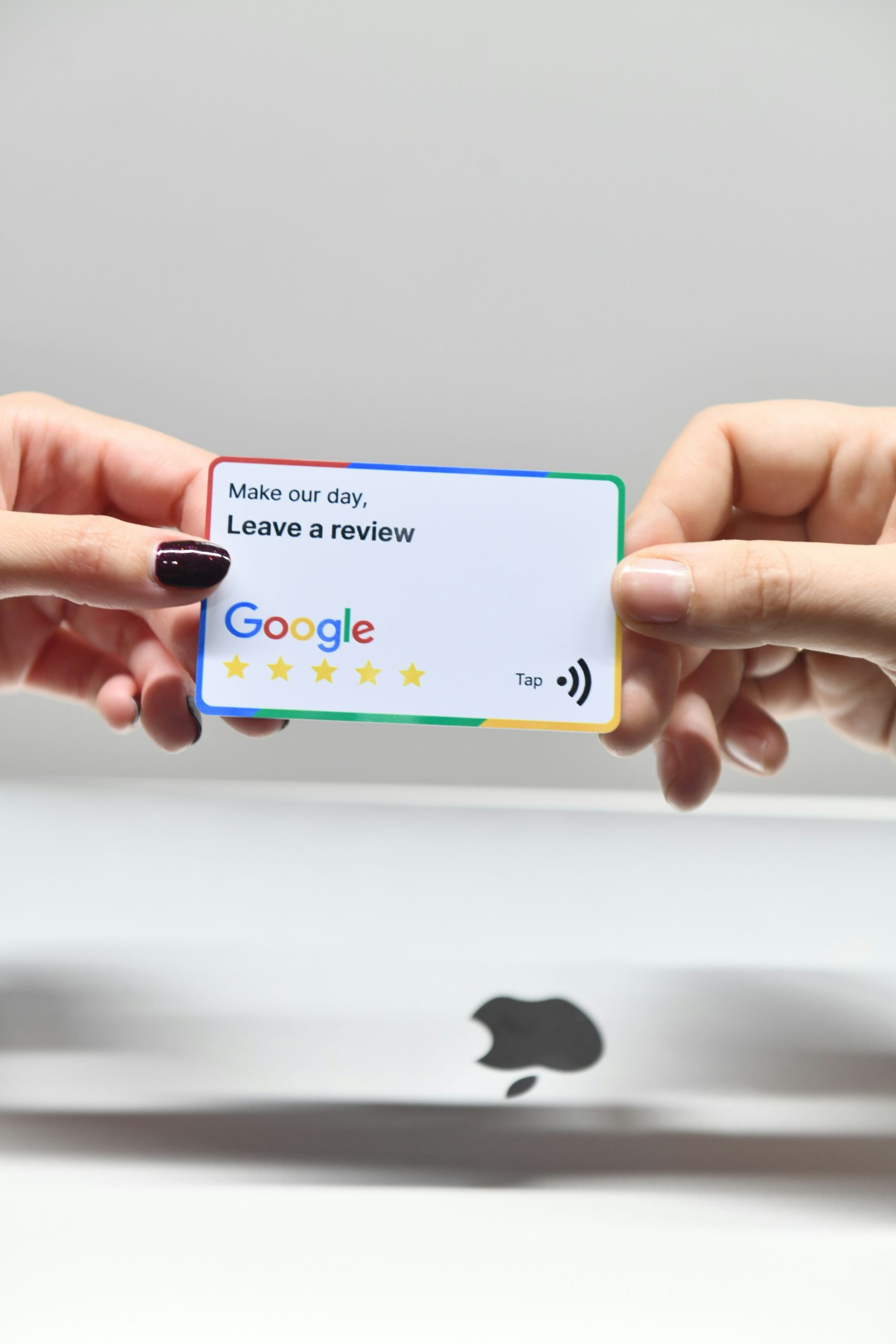
Google reviews on a phone for a business

If you run a local business and you’re trying to get found on Google, there is one lever that pulls more weight than everything else you could do in a week: your Google reviews. More of them. Recent ones. Replied to.

Reviews are the single biggest signal Google uses to decide whether you deserve to sit in the map pack when someone nearby searches. They’re also the thing most businesses quietly avoid, because asking for a review feels awkward, or pushy, or like you’re admitting you need the help. This guide fixes all of that. No scripts that read like a hostage note, no software you don’t need, no tricks that’ll get your profile suspended. Just what works.

1. Why reviews are the #1 lever for local rankings

When someone types “plumber near me,” “accountant near me,” or “best Sunday roast” into their phone, Google has to pick three businesses to show in the map pack, and it has seconds to do it. It uses a mix of relevance, distance, and prominence. Prominence is the fuzzy one. It’s how well-known and trusted your business looks to Google, and reviews are the loudest thing in that signal.

A business with 80 reviews at a 4.8-star average will almost always outrank a business with 6 reviews at 5.0 stars, even if the second one is closer and arguably better. That’s not fair. It’s just how the system works. If you’ve read our guide to “near me” searches, you’ll remember that prominence is one of the three ranking factors you actually have control over, and reviews are the fastest way to move it.

Reviews also do a second job: they convert. Someone searching “boiler repair near me” at 7am is going to tap the first business with a strong star rating and a wall of recent positive reviews. If yours is the one they see, you’re booked before breakfast. No ads, no website copy, no clever marketing. Reviews did the selling for you.

2. What Google actually weighs: count, recency, response rate

Three numbers matter more than the rest.

  • Count: the total number of reviews you have. More is better, full stop. Aim for 50+ as a floor, 100+ to dominate.
  • Recency: when your most recent review came in. A business with 60 reviews and nothing in the last six months looks dead to Google. A business with 30 reviews and one every two weeks looks alive.
  • Response rate: how many reviews you’ve replied to. Replying to reviews is a signal that you’re engaged with your profile and, by extension, your customers. It’s free, takes a minute, and most of your competitors don’t bother.

The average star rating matters too, but less than people think. Anything between 4.4 and 4.9 is roughly equivalent in Google’s eyes, and a profile with 4.7 stars and hundreds of reviews looks more trustworthy to a human than a 5.0 with seven. Don’t chase the perfect score. Chase the volume, the freshness, and the engagement.

The uncomfortable truth: if your last review came in nine months ago, Google quietly assumes you’re either not trading or not worth showing. A steady trickle is better than an annual burst.

3. When to ask: the only moment that really works

The reason most businesses get almost no reviews is that they ask at the wrong moment. A week later, by email, after the customer’s already moved on. By then they’ve forgotten how pleased they were and opening the email feels like a chore.

The moment to ask is the peak-happiness moment: the exact point where the customer is visibly, genuinely pleased with what you’ve just done. For a trades business, that’s standing in the kitchen with the new boiler humming and the customer saying “brilliant, thank you.” For a restaurant, it’s when they’re paying the bill and telling you the lamb was amazing. For an accountant, it’s the email they send you after their self-assessment is filed and they’ve realised how painless it was.

If you miss that moment, the response rate to a review request drops by roughly half every 24 hours. Same day, same hour is the gold standard. If you can’t ask in person, send a text or WhatsApp while you’re still in the van on the way to the next job. Not an email. Not tomorrow.

4. How to ask: scripts that don’t feel like begging

Most people struggle to ask because the phrases that come to mind sound needy. “Would you mind leaving us a review if you get a chance?” is a fine sentence that produces almost zero reviews, because it gives the customer too many places to say no.

Here are three ways to ask that work in the real world, in the order you should try them.

In person: the best of the three

“Really glad you’re happy with it. Reviews on Google are honestly huge for us. Would you have a minute to leave one now? I can send you the link.”

Three things are doing the work here. You named the action (Google review), you explained why it matters (“honestly huge for us” works because people like helping small businesses), and you offered to do the hard part (send the link). They’ll do it while you’re packing up the van.

By text, same day

“Hi [Name], Matt here from [Business]. Really pleased we could sort that for you today. If you’ve got a spare minute, leaving us a quick Google review would mean a lot. Here’s the direct link: [short link]. Thanks either way, and call anytime if anything else comes up.”

“Thanks either way” is the key: it removes the social pressure that makes people ghost you instead of saying no.

By email: only if the first two aren’t possible

Keep it three sentences long. The review link is the first thing they see. No preamble. No “I hope this email finds you well.”

“The businesses that get 100 reviews aren’t lucky. They just asked 100 times, at the right moment, and made it easy to say yes.”

5. Making it stupid-easy: short links, QR codes, follow-ups

Every extra tap a customer has to take between “yes, happy to leave a review” and a review actually appearing on your profile costs you about 30% of the people who said yes. Your job is to remove taps.

  • Get your direct review link. In your Google Business Profile dashboard, there’s a “Get more reviews” button that generates a short URL (g.page/r/...) which opens the review form directly. That’s the link you want in your texts, emails, and invoices.
  • Turn it into a QR code. Free tools will turn any URL into a QR code. Stick it on your invoice, your receipt, the back of your business card, a card on the restaurant table, the sign above the till. A customer can scan and be leaving a review in under five seconds.
  • Add the review link to your email signature. Every email you send ever again is now a gentle, no-pressure review ask.
  • One polite follow-up. If they said yes and didn’t do it, nudge once after 48 hours. Not twice. “Just a quick one: did you manage to leave that review? Link’s here if it’s easier: [link].” About a third of no-shows will convert on the follow-up.

None of this requires software. You can run all of this from your phone with notes, texts, and a QR code printed at Ryman. If you want to systematise it later, there are tools for that, but don’t let the tool shopping stop you asking today.

6. What to do about a bad review

At some point, somebody is going to leave you a one-star. It’ll feel personal. It isn’t. It’s just mathematics. Every business gets them eventually, and a single unfavourable review inside a wall of strong ones actually makes your profile look more credible, not less. People trust a business that has a mix more than one with suspiciously perfect scores.

Reply, always. Within 24 hours if you can. Here’s the structure:

  1. Thank them for the feedback. Yes, even if it’s unfair.
  2. Acknowledge what they said without admitting to anything you didn’t do.
  3. Offer to make it right off-platform. “I’d love the chance to put this right. Could you email me on hello@… so I can look into what happened?”
  4. Keep it short, keep it polite, never get drawn in. Future customers are the real audience of your reply, not the person who left the review.

A calm, professional reply to a bad review does more to convert the next reader than five more five-stars would. Show people how you handle problems. That’s the real review.

What if the review is fake?

If a review is clearly fake (a competitor, a bot, someone who was never a customer) you can flag it through your Google Business Profile for removal. It’s a slow process and Google doesn’t always play ball, but reply to it publicly in the meantime with something like: “We don’t have a record of this visit. Could you email hello@… so we can look into it?” That alone signals to everyone reading that this one is dubious.

7. What NOT to do (the stuff that gets you suspended)

Google’s own guidance on getting more reviews is stricter than most people realise, and profile suspensions happen quietly and painfully. Avoid all of this:

  • Don’t offer discounts or freebies for reviews. Not “leave us a review and get 10% off.” Not a prize draw. Not a free coffee. This is a direct policy violation and the fastest way to get reviews wiped or your profile flagged.
  • Don’t write reviews for your own business, ever. Not from your personal account, not from your partner’s, not from an ex-employee’s. Google is very good at spotting this.
  • Don’t buy reviews. Services offering “50 five-star reviews for £100” exist and they will get your profile suspended. Possibly permanently.
  • Don’t review-gate. That’s when you filter customers (“if you’d rate us 5 stars, leave a Google review; if less, email us instead”). Also against policy.
  • Don’t ask from the business premises’s wifi in bulk. If ten reviews all appear from the same IP address on the same day, Google notices.

Stick to: real customers, peak-happiness moment, direct link, nothing in exchange. That’s all it takes, and it’s all that’s safe.

8. A 30-day plan for a business starting from zero

If you’ve read this far and you’ve got three reviews and a haunted-looking profile, here’s what to do for the next month. This is what we’d set up for a client in their first month of working with us.

Week one: get the infrastructure in place

  • Generate your direct review short link from Google Business Profile.
  • Turn it into a QR code. Print 20 copies. Put them where customers are: invoices, receipts, till area, vehicle, business cards.
  • Add the review link to your email signature.
  • Write a three-sentence SMS template and save it on your phone.

Week two: ask every happy customer, every day

  • Make asking part of your routine. Every completed job, every paid bill, every positive email. Ask. In person first, text second.
  • Aim for one new review per working day. That’s 20 a month, 240 a year. That changes your ranking.

Week three: go back through your customer list

  • Pick 30 recent customers you never asked. Send each one a short, personal message with the review link. Expect roughly a 20% response rate. That’s another six reviews for an hour’s work.

Week four: reply to everything, set the habit

  • Go back through every review you’ve ever had and reply to the ones you missed. Thank the positive ones by name. Address the negative ones calmly.
  • Block out 15 minutes every Monday morning to reply to any new reviews from the previous week. Make it a standing slot. This alone will put you ahead of 90% of local competitors.

Do that for a month and your profile will look actively traded, engaged, and trustworthy. Google notices. Your rankings will start moving in weeks, not months, especially if you combine it with the other basics covered in our full guide to optimising your Google Business Profile.

If you’d rather have us set this up for you (the review link, the QR codes, the SMS templates, the reply cadence, the monthly monitoring) that’s exactly what our Local SEO service includes. Book a free audit and we’ll show you exactly where your profile sits against your competitors, and what it’d take to overtake them.

Want help putting this into practice?

Book a free initial consultation and we’ll map out the fastest way to turn more happy customers into the reviews that move your rankings.

Book a call
← Back to all guides

Local SEO Guide

“Near me” searches: why they matter and how to rank for them

22 Jan 2026 · 7 min read

A town centre representing near me searches

“Plumber near me.” “Accountant near me.” “Best restaurant near me.” These searches happen thousands of times a day, and the businesses that appear at the top are the ones that get the calls, the bookings, and the walk-ins. Yet most businesses have no idea how “near me” searches actually work, or what they can do to show up in the results.

If you run a trades business, a professional services firm, or a hospitality venue, this guide is for you. We’ll break down exactly how Google decides who appears for “near me” queries, why your Google Business Profile matters more than you think, and what practical steps you can take to start ranking. No jargon. No fluff. Just what works.

1. What are “near me” searches?

When someone types “plumber near me” or “electrician near me” into Google, they’re looking for a local business right now. These are high-intent searches. The person isn’t browsing or researching. They’re ready to buy, book, or call. That makes them some of the most valuable searches your business could appear for.

According to Think with Google, there has been massive growth in “near me” searches year over year, and the trend shows no signs of slowing down. With mobile usage continuing to rise, people expect instant, location-relevant results wherever they are.

But here’s what most people don’t realise: you don’t have to literally type “near me” for Google to treat it as a local search. If someone searches “plumber” plus their town name, or even just “plumber” on their phone while sitting in their kitchen, Google interprets it the same way, and serves local results based on the searcher’s location. In practical terms, almost every service-related search on a mobile device is a “near me” search, whether the user types those words or not.

2. How Google decides who ranks for “near me”

As Google explains in its guidance on how to improve your local ranking, three main factors determine local rankings:

  • Relevance: How well does your business match what the searcher is looking for? If someone searches “emergency electrician near me,” Google needs to be confident you actually offer emergency electrical work.
  • Distance: How close is your business to the person searching? If someone in a town centre searches for a plumber, a business based nearby has an advantage over one several miles away.
  • Prominence: How well-known and trusted is your business online? This is the factor that encompasses your reputation across the web.

The map pack (those three local results that appear at the top of Google with a map) is where most clicks go for local searches. Getting into the map pack is the goal, because the businesses listed there receive a disproportionate share of calls and clicks.

Prominence is where most businesses fall short. It includes your Google review count and average rating, your website’s authority, your local citations (directory listings like Yell and Thomson Local), and how active and complete your Google Business Profile is. Distance is the one factor you can’t change. Your business is where it is. But relevance and prominence are entirely within your control, and improving them is what this guide is about.

3. Why your Google Business Profile is the key

Your Google Business Profile is the single biggest factor in “near me” rankings. It’s the listing that powers your appearance in the map pack, and it’s what Google looks at first when deciding which local businesses to show.

A fully optimised profile (with the right categories, complete business information, quality photos, regular posts, and a strong review profile) will outrank bigger businesses that have incomplete or neglected profiles. We see this consistently: smaller businesses beating larger competitors simply because they’ve taken the time to fill everything in and keep it active.

The key elements of a well-optimised Google Business Profile include:

  • Choosing the most specific primary category: “Emergency Plumber” is better than just “Plumber” if that’s your main service.
  • Completing every single field: Business description, service areas, hours, attributes. Leave nothing blank.
  • Getting regular, recent reviews: A steady stream of reviews matters more than a one-off burst.
  • Posting weekly updates: Google rewards profiles that show signs of an active, engaged business.
  • Adding quality photos of your actual work: Real photos of your team, premises, and completed jobs build trust with both Google and potential customers.

We’ve written a full guide to optimising your Google Business Profile that walks through each of these steps in detail. If you haven’t read it yet, start there.

4. The role of your website in “near me” rankings

Your website supports your “near me” rankings in several important ways. While your Google Business Profile does the heavy lifting for map pack results, your website provides the supporting signals that strengthen your overall local presence.

  • Location in title tags, H1s, and page content signals to Google where you operate. If your homepage title says “Plumber in [your town]” rather than just “Plumbing Services,” Google has a clearer picture of your geographic relevance.
  • NAP consistency (Name, Address, Phone number) between your website and your Google profile is essential. If the details don’t match, Google loses confidence in your listing.
  • Local schema markup helps Google understand your business in a structured way: your location, service area, opening hours, and more.
  • Dedicated location pages strengthen your geographic relevance. If you serve multiple areas, creating individual pages for each town you cover tells Google exactly where you operate.

If your website needs work, our website design service is built around exactly these principles: creating sites that look great and are structured to support local search rankings.

5. How to rank for “near me”: a practical checklist

Here’s a step-by-step checklist you can work through to improve your visibility in “near me” search results.

Optimise your Google Business Profile

This is where you start. Complete every field in your profile. Choose the most specific primary category that fits your business. Add at least 10 quality photos: exterior shots, interior shots, team photos, and examples of your work. Post updates at least once a week to keep your profile active. If you need a step-by-step walkthrough, our Google Business Profile guide covers everything.

Build local citations

Get your business listed in online directories: Yell, Yelp, Thomson Local, plus local directories and industry-relevant platforms. The critical rule: your NAP must be consistent everywhere. If your address is slightly different on Yell than it is on your Google profile, it creates confusion for Google and weakens your local authority. Audit your existing listings and fix any inconsistencies before adding new ones.

Get more Google reviews

Reviews are one of the strongest ranking signals for local search. Ask customers for a review at the right moment: right after you’ve delivered a great result, when they’re happiest. Make it easy by sending them a direct link to your Google review page. Respond to every single review, whether positive or negative. Aim for both quantity and quality: a business with 60 reviews at a 4.8-star average will outrank one with 5 reviews at 5.0 stars almost every time.

Add location pages to your website

If you serve multiple areas, create dedicated pages for each location. A plumber who has individual pages for every town and region they cover is telling Google, in clear terms, exactly where they work. Each page should have unique content relevant to that area, not just the same text with the town name swapped out. If that sounds like hard work, our local SEO service can handle it for you.

Create locally relevant content

Blog about local topics. Mention your town and region naturally in your content. Write about issues that affect local customers. This guide you’re reading right now is itself an example of locally relevant content. It’s useful information with a clear geographic focus. The more local content you produce, the stronger your overall geographic signal becomes. If you want leads faster while building your local SEO, consider combining with Google Ads to capture demand immediately.

6. Industry examples: what works

Trades

“Electrician near me,” “plumber near me,” and “roofer near me” are among the most competitive “near me” searches around. There are a lot of tradespeople competing for the same terms, so standing out requires effort. Trades businesses need a strong review profile (aim for 50 or more reviews) along with consistent citations across all the major directories and a mobile-friendly website with click-to-call functionality. When someone searching on their phone finds you in the map pack, they should be able to call you in a single tap. Speed matters: the first business to answer the phone usually wins the job.

Professional services

“Solicitor near me” or “accountant near me” tend to have lower search volume than trades queries, but the value per lead is significantly higher. A single new client for an accountancy firm could be worth thousands of pounds per year. Professional services firms should focus on detailed service descriptions on their website, professional-quality photos (not stock images), and authority-building content that demonstrates expertise. Trust signals (qualifications, accreditations, case studies) carry extra weight in this sector.

Hospitality

“Restaurant near me” or “B&B near me” are searches where photo quality matters enormously. People eat with their eyes, and a Google listing with beautiful food photography and inviting interior shots will always outperform one with dim, blurry images. Menus, booking links, and opening hours must be accurate and current. Nothing frustrates a potential customer more than turning up to find you’re closed. Seasonal updates to your Google Business Profile posts make a real difference too: promote your Christmas menu, your summer terrace, your Sunday roast specials.

Important: “Near me” doesn’t just mean the searcher typed those words. Google treats almost all local service searches as “near me” searches, even if the user just types “plumber” plus their town name. If you’re a local business, you’re competing in the “near me” landscape whether you realise it or not.

“The businesses that dominate ‘near me’ results aren’t gaming the system. They’ve simply filled in their Google profile properly and kept it active.”

7. What to do next

Start with your Google Business Profile. That’s the foundation of everything. If it’s incomplete, outdated, or neglected, fix that first. Then work through the checklist above: build your citations, get more reviews, add location pages to your website, and start creating locally relevant content.

If you’d rather have someone handle it for you, our Local SEO service is built specifically for businesses that want to appear when local customers search. We’ll audit your current visibility, optimise your Google Business Profile, fix your citations, and build a local content strategy that drives results.

Ready to find out where you stand? Book a free audit and we’ll show you exactly what’s holding you back, and what it’ll take to get you into the map pack.

Want help putting this into practice?

Book a free initial consultation and we’ll walk through where the biggest growth opportunities are for your business. No pitch, no pressure.

Book a call
← Back to all guides

Strategy

SEO vs Google Ads: which one should your business invest in first?

15 Jan 2026 · 9 min read

SEO vs Google Ads comparison for businesses

If you’re running a business, you’ve probably been told you need to “do SEO” or “get on Google Ads.” Maybe both. But with a limited marketing budget, which should you invest in first?

It’s a question we get asked almost every week at Woodwise Media. And the honest answer is: it depends. Both channels drive leads. Both get you found on Google. But they work very differently, in cost, timeline, and how the results compound over time.

In this guide, we’ll break it all down honestly so you can make the right decision for your business. No jargon, no sales pitch, just a clear comparison based on what we see working for businesses every day.

1. The short answer (if you want it now)

For most businesses that need leads now: start with Google Ads for immediate results while building SEO for the long term. That gives you the best of both worlds, leads coming in this month while you invest in something that compounds over time.

But it genuinely depends on your budget, your timeline, and your competition. If you can wait three to six months for results to build, SEO alone might be the better investment because you won’t have ongoing ad spend eating into your margins. If you need the phone ringing this month, perhaps you’ve just launched or you’re heading into a seasonal peak, start with Ads.

Read on for the full detail behind that recommendation, including what each channel actually costs, how the timelines compare, and when it makes sense to combine both.

2. How local SEO works (and what it costs)

Local SEO is the process of improving your visibility in organic (non-paid) search results for location-based searches. When someone types “plumber near me” or “best accountant near me” into Google, the businesses that appear in the map pack and the organic results below it got there through local SEO, not by paying per click. At its core, SEO is about creating helpful, people-first content that Google wants to surface.

There are several components to a strong local SEO strategy. The foundation is your Google Business Profile, the listing that powers your appearance in Google Maps and the local map pack. Optimising this properly is one of the highest-impact things you can do. Beyond that, local SEO includes optimising your website content with relevant local keywords, building local citations (directory listings on sites like Yell, Thomson Local, and industry-specific directories), earning genuine customer reviews, and creating content that signals relevance to Google for the services and areas you cover.

SEO also helps you rank for “near me” searches, which have grown enormously in recent years and represent some of the highest-intent traffic you can attract.

The timeline for local SEO is typically three to six months for meaningful improvements. Some businesses in less competitive niches see movement within weeks, but sustainable first-page rankings generally take a few months of consistent work. The cost for a managed local SEO service typically sits between £300 and £800 per month, depending on the scope and competition in your industry.

The crucial advantage of SEO is cumulative value. Once you rank, leads keep coming without paying per click. The work you invest today continues to generate returns months and years down the line. It’s the closest thing to a compounding asset that exists in digital marketing.

Want to learn more about what’s involved? See our Local SEO service page for the full breakdown.

3. How Google Ads works (and what it costs)

Google Ads is pay-per-click advertising that places your business at the very top of Google search results. You bid on specific keywords, like “emergency electrician near me” or “wedding photographer”, write ad copy, and pay each time someone clicks through to your website or calls your business directly from the ad.

The biggest advantage of Google Ads is speed. Your ad can appear within hours of launching a campaign. There’s no waiting period, no gradual climb up the rankings. You switch it on and you’re visible immediately to people actively searching for what you offer.

You also get granular budget control. You set a daily spend limit, so you’ll never wake up to an unexpected bill. You can pause campaigns instantly, adjust bids by time of day, target specific geographic areas, and test different ad messages to see what resonates best with your audience.

In terms of cost, the typical cost per click for local services ranges from £2 to £15 depending on your industry. Competitive sectors like legal services and home emergency trades sit at the higher end, while less competitive niches can be surprisingly affordable. On top of your ad spend, management fees for a Google Ads service typically run £300 to £500 per month. For a realistic picture of what you might spend, see our guide to realistic Google Ads budgets for small businesses.

The trade-off is straightforward: Google Ads stops generating leads the moment you stop paying. There’s no residual benefit, no compounding effect. It’s a tap you turn on and off. That doesn’t make it a bad investment, far from it, but it does mean the economics work differently from SEO.

4. Comparing the two: a side-by-side breakdown

Here’s how SEO and Google Ads stack up across the factors that matter most to a business:

  • Time to results. Local SEO takes 3–6 months; Google Ads is immediate (within hours).
  • Cost structure. Local SEO is a monthly retainer only; Google Ads is retainer plus ad spend.
  • Lead quality. Both are high for local intent.
  • Long-term value. Local SEO compounds over time; Google Ads stops when you stop paying.
  • Control. Local SEO gives you less control over rankings; Google Ads gives you granular control over budget and targeting.
  • Scalability. Local SEO grows with content and authority; Google Ads scales with budget.

Both channels deliver high-quality leads because both target people who are actively searching for your services. The difference isn’t in the quality of the leads, it’s in how you pay for them and how the value accumulates over time.

Think of it this way: SEO is like renting to own. Google Ads is like renting. Both get you in the building, but SEO eventually means you stop paying rent.

That said, the “rent” analogy isn’t perfect. Google Ads gives you something SEO can’t: predictable, scalable lead flow from day one. For many businesses, that immediate return on investment is what keeps the lights on while the longer-term SEO strategy builds momentum.

5. When to start with SEO

SEO is likely the right starting point for your business if several of the following apply:

  • You have a three to six month runway. You’re not desperate for leads this week. You can afford to invest now and see the returns build gradually over the coming months.
  • You want to build long-term marketing assets. You recognise the value of owning your visibility rather than renting it indefinitely. Every month of SEO work makes next month’s results stronger.
  • Your industry has moderate competition. If there aren’t dozens of well-optimised competitors already dominating the search results, you can gain ground relatively quickly.
  • Your budget is tight. If you can only afford one monthly retainer and can’t stretch to additional ad spend on top, SEO gives you the better long-term return per pound spent.
  • You’re in a sector where organic trust matters. For professional services like solicitors, accountants, financial advisors, and healthcare providers, organic rankings carry an implicit trust signal that paid ads don’t always convey. People tend to trust businesses that Google ranks organically.

If you’re nodding along to most of these, explore our Local SEO service to see how we approach it.

6. When to start with Google Ads

Google Ads is likely the right starting point if your situation looks more like this:

  • You need leads now. Not in three months, now. You’ve got capacity to take on work and you need the phone to ring.
  • You’re a new business launching. You have no existing online presence, no domain authority, no reviews. SEO will take time to build from zero, but Ads can have you visible on day one.
  • You’re testing demand in a new market or service area. Not sure if there’s enough search volume for a new service you’re offering? Ads give you data fast so you can make informed decisions.
  • A seasonal peak is approaching. If your busiest period is six weeks away, SEO won’t move fast enough. Ads will have you front and centre when demand surges.
  • You have budget for both ad spend and management. Google Ads requires two cost layers, the management fee and the actual clicks. If your budget can support both, the return can be immediate.
  • You need predictable, scalable lead flow. Ads let you dial up or down with precision. Need more leads? Increase the budget. Going on holiday? Pause the campaign. That level of control is invaluable for businesses managing capacity.

Learn more about how we manage campaigns on our Google Ads service page.

7. The best approach: do both (strategically)

If your budget allows it, the most effective approach is to run both channels simultaneously, but with a clear strategy for how they work together over time.

Here’s how it typically works for the businesses we manage at Woodwise Media. In months one to three, Google Ads does the heavy lifting. It generates leads immediately while local SEO work is being established, optimising your Google Business Profile, building citations, improving your website content, and developing your local authority. During this phase, most of your marketing budget goes toward ad spend.

From months three to six, SEO starts gaining traction. Organic traffic begins to climb, your Google Business Profile starts appearing in the map pack for key searches, and you begin receiving enquiries that aren’t coming through paid ads. At this point, you can start to strategically reduce ad spend on keywords where you’re now ranking organically.

By months six to twelve, the balance has shifted. SEO is delivering a consistent stream of leads, and your Google Ads budget can be redirected toward new keywords, new service areas, or seasonal campaigns rather than covering your core terms. The businesses that were spending heavily on Ads at the start are now sustaining their lead flow primarily through organic visibility, with Ads playing a targeted, supplementary role.

“The businesses that grow fastest aren’t choosing between SEO and Ads, they’re using both at the right stage.”

This combined approach is what we recommend for most clients. It eliminates the uncomfortable gap where you’re investing in SEO but not yet seeing results, and it creates a clear trajectory toward lower customer acquisition costs over time.

8. Real examples from businesses

To make this more concrete, here are two real scenarios from businesses we’ve worked with. We’ve kept the details anonymised, but the numbers are genuine.

A plumber: Ads first, then SEO alongside

This client came to us needing leads within weeks. They’d recently expanded their team and had capacity to fill. We launched a Google Ads campaign targeting emergency and routine plumbing searches across their service area. Within the first week, they were getting calls. Within the first month, they’d booked enough work to cover their Ads investment several times over.

At the same time, we started building their local SEO presence, optimising their Google Business Profile, fixing their website structure, and building local citations. After three months of SEO running alongside Ads, their organic traffic had doubled. By month five, they were ranking in the map pack for their key terms. We were able to cut their ad spend by 30% while maintaining the same overall lead volume, because organic was picking up the slack. Their cost per lead dropped significantly, and the trajectory continued to improve.

An accountant: SEO first with a long-term view

This client had a different situation. They had a healthy existing pipeline and weren’t in a rush for immediate leads. What they wanted was sustainable, long-term visibility that would reduce their dependence on referrals. We recommended starting with SEO only, given they had the luxury of time.

We focused on their Google Business Profile, their website content (creating service pages optimised for local searches), and building their review profile. By month four, they were ranking on the first page for their core “accountant near me” searches and appearing consistently in the map pack. They were getting eight to ten organic enquiries per month, high-quality leads from people actively searching for accountancy services. The investment in SEO had effectively created a new, self-sustaining lead channel that didn’t require ongoing ad spend to maintain.

9. What to do next

If you’ve read this far, you have a solid understanding of how both channels work and when each one makes sense. The question now is which approach fits your business.

If you’re not sure, we’ll tell you honestly. Book a free audit and we’ll look at your business, your competition, and your budget, then recommend the approach that makes sense. No sales pitch, just straight advice based on what we see in your market.

We’ll review your current Google visibility, assess the competitive landscape for your key services, and give you a clear recommendation on whether to start with SEO, Google Ads, or both. It’s a genuine conversation, not a hard sell.

Whether you work with us or not, the important thing is to start making informed decisions about where your marketing budget goes. Both SEO and Google Ads work for businesses, the key is choosing the right one for your situation and executing it properly.

Want help putting this into practice?

Book a free initial consultation and we’ll map the channel mix that will grow your business fastest. No pitch, no pressure.

Book a call
← Back to all guides

Website Design

5 signs your website is costing you customers (and what to do about it)

By Matthew, Woodwise Media · 29 Jan 2026 · 5 min read

Signs your website is costing you customers

Your website might look perfectly fine to you. You built it a few years ago, it has your phone number on it, and it does the job, or so you think. But what if it’s quietly driving customers away without you even realising it?

We review websites for businesses every week, and the same problems come up time and again. Trades businesses, accountants, solicitors, restaurants, salons, the industries are different, but the website mistakes are remarkably similar. Here are the five biggest signs your website is costing you customers, and what you can actually do about it.

1. It takes more than 3 seconds to load

This is the silent killer. Over half of mobile visitors will leave a website that takes more than three seconds to load. Usability research from the Nielsen Norman Group on response-time limits shows that delays beyond about a second break a visitor’s flow of thought, and longer waits cause them to give up entirely. Think about what that means for your business: a potential customer has searched for the service you provide, found your listing, clicked your link, and left before they even saw your homepage. They didn’t read your services. They didn’t see your reviews. They went straight to a competitor whose site loaded faster.

The common culprits are almost always the same: oversized images that haven’t been compressed, cheap shared hosting that slows to a crawl during peak hours, bloated WordPress themes packed with features you’ll never use, and too many plugins running in the background. Every one of these adds seconds to your load time, and every second costs you visitors.

Quick fix: Run your site through Google PageSpeed Insights, it’s completely free. If your mobile score is below 50, speed is almost certainly costing you enquiries. Pay particular attention to the “Opportunities” section, which tells you exactly what’s slowing things down.

2. It’s not mobile-friendly

Over 60% of local searches happen on mobile phones. When someone searches for a plumber, an electrician, or a restaurant, they’re almost always doing it from their pocket. If your website requires pinching and zooming to read, or if the navigation doesn’t work properly on a small screen, you’re losing those visitors before they’ve had a chance to become customers.

It’s not enough to have a website that technically works on mobile. It needs to feel natural. Buttons should be large enough to tap easily with a thumb. Text should be readable without zooming. Forms should be simple to fill in on a small screen. Phone numbers should be tappable. Maps should load correctly. The entire experience needs to be designed for the way people actually use their phones. Google now measures this through Core Web Vitals, a set of performance metrics that directly affect your search rankings.

Quick test: Open your website on your phone right now. Try to find your phone number and tap to call. If that takes more than two taps, there’s a problem. While you’re there, try navigating to your services page and filling in your contact form. If any of that feels awkward, your mobile visitors are feeling the same frustration, and most of them won’t persevere.

3. There’s no clear call to action

This is the single most common issue we see when auditing websites for businesses. Visitors land on a website, have a quick read, and then leave, because they were never told what to do next. There’s no obvious button. No clear instruction. No reason to pick up the phone or fill in a form. The website just… exists.

Every page on your website should have a clear next step. The specific action depends on your industry:

  • For trades businesses: “Get a Free Quote” or “Call Us Now” with a visible, tappable phone number.
  • For professional services: “Book a Consultation” or “Request a Callback.”
  • For hospitality: “Book a Table” or “Check Availability.”

Your call to action should be above the fold, that means visible without scrolling, and repeated throughout the page. It should be obvious, prominent, and impossible to miss. Too many businesses bury their contact details in the footer or hide them on a separate “Contact Us” page that requires three clicks to reach.

A good website design makes the next step effortless. If a visitor has to think about how to get in touch, you’ve already lost them.

Quick test: Open your website on your phone right now. Can you call the business in one tap? If not, that’s signs 2 and 3 combined, and you’re making it harder than it should be for customers to reach you.

4. It doesn’t show up on Google

Having a website and having a website that ranks on Google are two very different things. If your site wasn’t built with SEO in mind, proper title tags, meta descriptions, heading structure, local keywords, then Google doesn’t really know what you do or where you’re based. A beautiful website that nobody finds is just an expensive business card sitting in a drawer.

The fix isn’t complicated, but it does need doing. Make sure every page has a unique title tag that includes what you do and where you do it. Write a proper meta description for each page. Use heading tags (H1, H2, H3) properly to structure your content. Include your location naturally throughout the copy. If you serve multiple areas, make sure that’s reflected in your content too.

Your website and your Google Business Profile work together, make sure both are optimised. If you’re serious about being found locally, our Local SEO service covers everything from on-page optimisation to Google Maps rankings, ensuring your business shows up when and where it matters most.

Key point: Search engine optimisation isn’t a one-off task. Google’s algorithm changes regularly, your competitors are improving their sites, and new businesses are entering the market. If your website hasn’t been updated for SEO in the last 12 months, it’s likely falling behind.

5. You’re embarrassed to share the link

This is the gut check. If a potential client asks for your website and you hesitate before sending the link, or worse, you avoid sharing it altogether, that tells you everything you need to know. You already know the site isn’t up to scratch. You just haven’t done anything about it yet.

First impressions happen in seconds. Research suggests visitors form an opinion about a website in as little as 50 milliseconds. An outdated design, broken links, stock photos that look nothing like your business, or amateur imagery all signal to customers that you might not be the professional choice. And when they’re choosing between two businesses, they’ll go with the one that looks the part.

This matters especially for trades and professional services, where trust is everything. If you’re a builder asking someone to let you into their home, or an accountant handling someone’s finances, your website needs to reflect the quality of your work. Your website should make you look as good as the service you deliver.

“The businesses that get the most enquiries from their website aren’t always the biggest, they’re the ones whose website makes it easy to take the next step.”

What to do about it

If you’ve recognised your website in one or more of the signs above, don’t panic. Not everything requires a complete rebuild. Here’s how to prioritise:

Quick wins you can do today

  • Compress your images using a free tool like TinyPNG or ShortPixel.
  • Add your phone number to the header of every page, and make sure it’s a clickable link on mobile.
  • Put a clear call-to-action button above the fold on your homepage.
  • Check that your contact form actually works, you’d be surprised how many don’t.

Medium fixes worth investing in

  • Improve your mobile experience so navigation, buttons, and forms all work properly on small screens.
  • Add basic SEO to your title tags, meta descriptions, and heading structure.
  • Update your photos with professional, current images of your team and your work.

When it’s time for a rebuild

If your site is more than three to four years old, wasn’t built mobile-first, or fails multiple signs above, a fresh build will pay for itself in the enquiries it generates. Patching an old site only gets you so far. At some point, starting from scratch with a modern, fast, conversion-focused website is the smarter investment.

Our websites are built mobile-first, SEO-optimised from day one, and designed specifically to convert visitors into customers. Every site we build for businesses is tailored to generate enquiries, not just look pretty.

If you’re not sure whether your website is helping or hurting your business, we’ll tell you for free. Our website audit looks at speed, mobile experience, SEO, and conversion potential, and gives you a clear picture of what’s working, what isn’t, and what to fix first. See how our web design service works, or get in touch to book your free audit today.

Want help putting this into practice?

Book a free initial consultation and we’ll walk through where your website is leaking enquiries, and the highest-impact fixes to win more customers.

Book a call
← Back to all guides

Google Ads

The biggest Google Ads mistakes businesses make (and how to avoid them)

8 Jan 2026 · 6 min read

Google Ads mistakes businesses make

We audit Google Ads accounts for businesses every week. The same mistakes come up again and again, and they’re costing businesses hundreds, sometimes thousands of pounds a month in wasted ad spend. Whether you’re running your own campaigns or paying an agency to manage them, the problems are almost always the same. Here are the biggest Google Ads mistakes we see, and exactly how to fix them.

1. Targeting too broad an area

This is one of the most common, and most expensive, mistakes we find. A business that only serves a specific town or region is running ads that show across the entire country. Every single click from someone sitting in London, Manchester, or Edinburgh who will never use your services is money thrown away.

We’ve seen accounts where more than half the budget was going to clicks from people outside the service area. That’s not bad luck, it’s a setup problem. Google’s default geographic targeting settings are broader than most people realise, and if you don’t change them, you’re paying for attention from people who can’t become customers.

How to fix it: Set proper geographic targeting from the start. Use radius targeting centred on your business location, for a local plumber, a 15 to 20 mile radius covers your realistic service area without wasting budget on the rest of the country. Crucially, make sure you set location options to “Presence” rather than “Presence or interest,” which is Google’s default and will still show your ads to people outside your area who are merely searching about it.

2. Using the wrong keyword match types

Keyword match types control how closely a search query needs to match your keyword before Google shows your ad. Get this wrong and you’ll pay for clicks from people who have no intention of hiring you. It’s one of the most misunderstood settings in Google Ads, and it causes enormous waste.

Broad match is the default setting, and it gives Google the widest possible leeway to show your ads. An electrician bidding on “electrician” with broad match might find their ads appearing for searches like “electrician salary,” “how to become an electrician,” “electrician apprenticeship near me,” or “electrician TV show.” None of those people are looking for an electrician to hire, but you’re still paying when they click.

How to fix it: Use phrase match and exact match keywords instead of broad match, especially when you’re working with a limited budget. These give you far more control over which searches trigger your ads. And review your search terms report every week, this shows you the actual queries people typed before clicking your ad, and it’s the fastest way to spot wasted spend. See our guide to how much you should actually spend to make sure your budget can support the strategy you need.

3. No negative keywords

If match types are the lock, negative keywords are the bolt. Without them, you’re leaving the door wide open for irrelevant traffic. Negative keywords tell Google which searches you don’t want to appear for, and without a proper list, you’ll pay for clicks from people searching for jobs, DIY tutorials, free services, training courses, and salary information.

This is the single biggest source of wasted budget we find in the accounts we audit. It’s not unusual to see 30 to 50 percent of an entire monthly budget going to completely irrelevant clicks simply because no one has added negative keywords.

What we find most often: We audit Google Ads accounts every week. The most common finding? Businesses spending 30-50% of their budget on completely irrelevant clicks because they have no negative keywords.

How to fix it: Build a negative keyword list from day one, before your first ad goes live. For local service businesses, common negatives include: “jobs,” “salary,” “course,” “training,” “free,” “DIY,” “how to become,” “apprenticeship,” “volunteer,” and “qualifications.” Then add to the list every week based on your search terms report. This is not a set-it-once task, it’s ongoing maintenance that should happen every single week your campaign is running.

4. Sending traffic to your homepage

Your homepage tries to talk about everything your business does. It introduces your brand, lists your services, shows testimonials, and covers your service area. That’s fine for someone browsing your site, but it’s a terrible destination for someone who just searched for a specific service and clicked your ad.

When someone searches “emergency plumber near me” and clicks your ad, they want to know three things: do you offer emergency plumbing, do you cover their area, and how do they contact you right now? Your homepage buries those answers under everything else. Sending Google Ads traffic to your homepage is like answering every question with your CV, technically the information is in there somewhere, but no one has time to find it.

How to fix it: Create focused landing pages for each service or campaign you’re advertising. Each page should address the specific search intent, include one clear call to action, and make it as easy as possible for the visitor to take the next step. If you don’t have dedicated landing pages designed to convert, that’s worth addressing before you spend another pound on ads. The difference in conversion rates between a homepage and a well-built landing page is often two to three times higher. Relevant landing pages also improve your Quality Score, which means Google charges you less per click.

5. Not tracking conversions

Running Google Ads without conversion tracking is like running a shop with the lights off. You can hear people coming in and going out, but you have no idea what they’re doing, what they’re buying, or whether they’re the right customers. Without tracking, you can’t see which keywords, ads, or campaigns are generating actual enquiries, and which are just generating clicks that go nowhere.

We regularly audit accounts that have been running for months with no conversion tracking whatsoever. The business owner knows they’re spending money on ads. They might even know how many clicks they’re getting. But they have no idea whether those clicks are turning into phone calls, form submissions, or bookings. They’re guessing, and guessing gets expensive fast.

How to fix it: Set up Google Ads conversion tracking for every meaningful action on your website: phone calls, form submissions, booking requests, and email clicks. This isn’t optional, it’s the foundation that everything else is built on. Without conversion data, Google’s own algorithms can’t optimise your campaigns effectively, and you can’t make informed decisions about where to put your budget. If you’re not sure whether your tracking is set up properly, that’s one of the first things we check in our free audit.

6. Setting it and forgetting it

Google offers “Smart” campaigns and various automated settings that promise to handle everything for you. And to be fair, Google’s machine learning has improved significantly. But automated does not mean unattended. Google’s algorithms optimise for Google’s goals, which are not always your goals. Without human oversight, campaigns drift, budgets get spent on underperforming keywords, and ad copy goes stale.

We’ve seen accounts that were set up reasonably well on day one, then left untouched for six months. By the time we looked at them, the search terms had drifted so far from the original intent that the account was essentially running a completely different campaign to the one that was originally built.

How to fix it: Check your search terms report weekly. Adjust bids based on what’s performing. Pause underperforming keywords and add new ones. Test different ad copy. Review your geographic performance. A well-managed Google Ads campaign improves every single month because someone is paying attention, making small adjustments, and learning from the data. If no one is doing this, you’re paying for a campaign that’s getting worse over time, not better.

7. Giving up too soon

We hear this all the time: “I tried Google Ads and they don’t work.” When we dig into it, the business spent a hundred pounds over a week, got a handful of clicks, didn’t get any phone calls, and pulled the plug. That’s not a failed campaign, it’s a campaign that never had a chance to succeed.

Google Ads need data to optimise. The algorithms need enough clicks and conversions to learn which searches, times, and audiences produce the best results. A week of low spend simply isn’t enough data for any meaningful conclusions.

How to fix it: Commit to at least four to six weeks with a meaningful budget, a minimum of five hundred pounds per month for most local services. Judge results over a quarter, not a weekend. If you’re not sure what the right budget is for your industry and area, our guide to Google Ads budgets for businesses breaks it down in detail. If Ads aren’t working, SEO might be a better starting point, but don’t write off paid search until you’ve given it a proper test.

8. How to tell if your Google Ads are being managed properly

Whether you’re managing campaigns yourself or paying someone else to do it, here’s a simple checklist to assess whether your Google Ads are getting the attention they need:

  • Are you getting monthly reports? Not just a dashboard screenshot, a proper report that explains what happened, why, and what’s being changed.
  • Can you see your cost per lead? If you don’t know what each enquiry costs, you can’t judge whether your ads are profitable.
  • Are negative keywords being added regularly? Ask to see the negative keyword list and when it was last updated.
  • Is someone reviewing your search terms? This should be happening weekly. If it’s not, irrelevant clicks are eating your budget.
  • Are you seeing A/B test results? Ad copy, landing pages, and bidding strategies should all be tested and refined over time.

If the answer to any of these questions is no, your campaign needs attention. You might be getting results despite the lack of management, but you’re almost certainly leaving money on the table, or worse, wasting it entirely.

“Bad Google Ads aren’t just a waste of money, they convince business owners that Google Ads don’t work. They do. They just need to be set up properly.”

Every one of these mistakes is fixable, and most of them can be fixed quickly once you know what to look for. If you’re running Google Ads for your business, or paying someone else to, and you’re not confident you’re getting the best possible return, we can help. We offer a free Google Ads audit where we’ll review your account, identify exactly what’s going wrong, and show you how to fix it. No obligation, no jargon, just a clear, honest assessment. You can also learn more about how we manage Google Ads campaigns for businesses.

Want help putting this into practice?

Book a free initial consultation and we’ll walk through where your campaigns are leaking budget and the fastest ways to turn ad spend into real enquiries.

Book a call
← Back to all guides

Guide · Google Ads

How much should a business spend on Google Ads?

5 Feb 2026 · 8 min read

Google search results for business Google Ads budget

“How much should I spend on Google Ads?” It’s the first question every business owner asks, and the honest answer isn’t what most agencies will tell you. Some agencies want you to spend as much as possible because their fee is a percentage of your ad spend. The more you spend, the more they earn, regardless of whether those extra pounds actually generate results. Others give vague answers to avoid committing to anything specific, hiding behind jargon so they never have to be held accountable.

We’re going to give you real numbers, based on what we see working for businesses every day. No fluff, no sales pitch, just the honest answer so you can make an informed decision about whether Google Ads is the right investment for your business.

The honest answer: it depends (but here are real numbers)

It depends on your industry, your area, and your goals. That’s the truth. But “it depends” isn’t helpful on its own, so here are some real ranges based on what we manage for businesses every day.

Most businesses spend between £500 and £2,000 per month on Google Ads. That’s ad spend alone, it doesn’t include management fees, and it’s typically set as an average daily budget that Google spreads across the month. At the lower end (£500/month), you’ll get a steady trickle of leads. It’s enough to test whether Ads work for your business and to start gathering data on which keywords and audiences convert. At the higher end (£1,500–2,000), you’re generating consistent, reliable lead flow, the kind that lets you plan your week around incoming enquiries rather than chasing work.

Below £300/month, you’re unlikely to get enough data for Google to optimise your campaigns effectively. The algorithm needs clicks to learn what works, and at £10 a day you simply won’t generate enough of them. It sounds counterintuitive, but it’s genuinely better to spend nothing than to spend too little. A tiny budget just burns money slowly without ever reaching the threshold where results become meaningful.

Real example: A plumber spending £600/month on Google Ads typically sees 15–25 leads per month at £24–40 per lead. That’s the kind of realistic return you can expect from a well-managed campaign.

What determines your Google Ads budget

Three main factors determine how much you’ll need to spend to get results. Understanding these will help you set a budget that’s realistic for your specific situation rather than picking a number out of thin air.

  • Industry competition. Some industries pay more per click than others, it’s simply supply and demand. Legal services can run £10–15 per click. Plumbing might be £3–8. Restaurants £1–3. Higher cost-per-click (CPC) means you need a bigger budget to generate the same number of leads. There’s no way around this, it’s set by the market, not by your agency. You can research costs for your industry using the Google Keyword Planner, which shows estimated CPCs for any keyword.
  • Geographic targeting. Targeting just your town costs less than targeting your whole county, which costs less again than targeting an entire region. A tighter geographic area means fewer competitors bidding on the same terms and lower costs per click. We always recommend starting tight and expanding once you have data.
  • Your goals. Want 5 leads a month or 50? Your budget scales directly with your ambition. We always recommend starting conservative, proving the return, and then scaling based on actual results rather than projections. It’s far easier to increase a budget that’s working than to recover confidence after overspending on a campaign that wasn’t set up properly.

Realistic budgets by industry

Here’s what we typically recommend for businesses, broken down by sector. These aren’t theoretical numbers, they’re based on campaigns we manage and the results we see month to month.

Trades (plumbers, electricians, builders)

Typical CPC: £3–8
Recommended starting budget: £500–1,000/month

Trades businesses tend to do well with Google Ads because the searches are high intent. When someone types “emergency plumber near me” or “electrician near me,” they need the service now. They’re not browsing or comparing for weeks, they want to make a call and get the problem sorted. That urgency translates into strong conversion rates. Competition is often moderate, which keeps costs manageable. At £500/month, a plumber can realistically expect 15–25 enquiries. At £1,000, that number doubles if the campaign is managed well.

Professional services (accountants, solicitors, financial advisers)

Typical CPC: £5–15
Recommended starting budget: £800–1,500/month

Professional services face higher CPCs because the competition is fiercer and the lifetime value of a client is significant. But that’s exactly why the maths still works. One new accountancy client might be worth £2,000–5,000 per year in recurring fees. One new legal case could be worth £5,000 or more. Even at £50–80 per lead, landing just two or three new clients a month delivers a return that dwarfs the ad spend. The key is patience, professional services often have longer decision cycles, so you need to track leads through to conversion, not just count clicks.

Hospitality (restaurants, B&Bs, wedding venues)

Typical CPC: £1–4
Recommended starting budget: £400–800/month

Hospitality benefits from lower CPCs, making Google Ads accessible even on tighter budgets. The challenge is that margins are often thinner, so you need to be more precise with targeting. Seasonal variation matters enormously, increase your budget during peak booking seasons and wedding fairs, then reduce during quieter months. A B&B might spend £600/month during spring and summer, dropping to £200 in January. Wedding venues should ramp up spend during engagement season (December through February) when couples are actively searching.

What return can you actually expect?

Forget clicks. Forget impressions. The only metric that matters is cost per lead, what are you actually paying for each phone call, form submission, or email enquiry?

A typical well-managed local campaign converts at 5–15% from click to lead. So at £5 per click and a 10% conversion rate, each lead costs you £50. The question then becomes simple: is a lead worth £50 to your business?

For a plumber charging £200 for a standard job, a £50 lead that converts into a paying customer gives you a 4x return. For a solicitor landing a £5,000 case from a £50 lead, that’s a 100x return. Even if only one in three leads becomes a paying customer, the maths is overwhelmingly positive.

The key metric is return on ad spend (ROAS). We track this for every client and report on it monthly. If you can’t see your cost per lead clearly in your reporting, you can’t know whether your budget is working, and that’s a problem. If your current agency isn’t showing you this number, ask them why. If you’re managing ads yourself, make sure conversion tracking is set up correctly before you spend another pound.

The mistake most businesses make with their budget

The biggest mistake is spending too little. We see this constantly. A business owner wants to “test” Google Ads, so they set a budget of £100/month. That’s £3.33 per day. At £5 per click, that buys you less than one click per day. Some days, you’ll get nothing at all.

Google needs data to optimise. It needs to learn which keywords convert, which times of day work best, which locations and devices perform, and which ad copy resonates. Without enough clicks flowing through the system, the algorithm can’t learn, and your campaign stays stuck in what we call the “not enough data” zone. You spend money, see little return, and conclude that Google Ads don’t work, when the reality is you never gave them a fair chance.

The second mistake is not tracking conversions. Without conversion tracking, you’re spending money and hoping for the best. You might be getting leads and not know it, or you might be getting zero leads and not know that either. You need to know which clicks turn into calls, form submissions, and enquiries. This isn’t optional, it’s the foundation of every successful campaign. See our guide to the biggest Google Ads mistakes local businesses make for more on this.

Important: Don’t judge Google Ads by the first 2 weeks. Campaigns need 4–6 weeks and several hundred clicks before you can fairly assess performance. Making changes too early based on too little data is one of the fastest ways to waste your budget.

How to know if your budget is working

There are four key metrics you should be tracking every month. If you’re not seeing these numbers in your reporting, you’re flying blind.

  • Cost per lead: What are you paying for each enquiry? This is the single most important number. Everything else is context.
  • Conversion rate: What percentage of clicks become leads? A healthy local campaign converts at 5–15%. Below 5% and something needs fixing, usually the landing page.
  • Return on ad spend: How much revenue are you generating per £1 spent? A 3x ROAS means every £1 in ad spend generates £3 in revenue. That’s a healthy baseline for most local businesses.
  • Quality Score: Are your ads and landing pages relevant to what people are searching for? Higher Quality Scores mean lower costs per click, which means your budget goes further.

The rule is straightforward: if your cost per lead is below the value of that customer to your business, your budget is working. If it’s above, something needs optimising, the keywords, the ad copy, or the landing page. Don’t just throw more money at a campaign that isn’t converting. Fix the fundamentals first.

We provide monthly reports showing all of these metrics in plain English, no jargon, no vanity metrics, just the numbers that tell you whether your investment is paying off.

When to increase (or pause) your spend

Increase your budget when:

  • Your cost per lead is consistently below your target and you’re converting leads into paying customers
  • You have the capacity to take on more work, there’s no point generating leads you can’t service
  • Seasonal demand is rising and you want to capture more of the market during your busiest period

Pause or reduce your budget when:

  • You’re at full capacity and can’t take on new customers without sacrificing quality
  • Your cost per lead has risen above the point of profitability and optimisation isn’t bringing it back down
  • You need to fix your landing page or conversion tracking first, spending money on a broken funnel is wasteful

The critical point: never increase your budget to compensate for poor performance. If your campaign isn’t generating leads at £500/month, spending £1,000 won’t fix the underlying problem, it will just double the waste. Fix the campaign first, prove the return at the current level, and then scale with confidence. Not sure whether Google Ads or SEO is the right investment for your business? Read our comparison to help you decide.

What to do next

If you’re considering Google Ads for your business, the best starting point is a free audit. We’ll look at your specific market, research the keywords your customers are actually searching for, estimate realistic CPCs for your industry, and tell you exactly what budget makes sense for your goals.

No commitment, no sales pressure, just honest numbers you can use to make a decision. If Google Ads isn’t the right fit for your business, we’ll tell you that too. We’d rather turn away a project than take money for something that won’t deliver results.

Get in touch for a free audit, or learn more about how our Google Ads management service works.

“The right Google Ads budget isn’t the biggest one, it’s the one that generates a positive return on every pound you spend.”

Want help putting this into practice?

Book a free initial consultation and we’ll talk through where your budget can work hardest. No pitch, no pressure.

Book a call
← Back to all guides

Local SEO

Why your Google Business Profile is the most important marketing tool you’re not using

12 Feb 2026 · 6 min read

Google Business Profile optimisation guide

If you run a business, there’s one thing that has more influence over whether new customers find you than almost anything else: your Google Business Profile.

Not your website. Not your social media. Not even word of mouth, although all of those matter. Your Google Business Profile (formerly Google My Business) is the single most visible piece of your online presence, and most businesses are barely using it.

What is a Google Business Profile?

Your Google Business Profile is the panel that appears on the right side of Google when someone searches for your business name, or more importantly, when they search for the kind of service you provide in your area. If you haven’t claimed yours yet, Google’s official setup guide walks you through the process step by step.

It shows your business name, address, phone number, opening hours, reviews, photos, and a link to your website. It also powers your listing in Google Maps and the “map pack”, those three local results that appear at the top of Google for location-based searches.

Key point: When someone searches “plumber near me” or “accountant near me,” Google decides which three businesses to show in the map pack largely based on their Google Business Profile. If yours isn’t optimised, you won’t make the cut.

Why it matters more than your website

This might sound controversial, but for many local businesses, your Google Business Profile generates more leads than your website. Here’s why:

  • It appears first. For local searches, the map pack shows above organic results. Many people never scroll past it.
  • It’s where people make decisions. Reviews, photos, and your description all help customers decide before they even visit your site.
  • It drives direct actions. People call directly from the listing, get directions, or visit your website, all in one click.
  • It’s free. Unlike Google Ads, you don’t pay for map pack visibility. It’s earned through optimisation.

The mistakes most businesses make

We audit Google Business Profiles for businesses every week. Here are the problems we see most often:

1. Incomplete information

Missing opening hours, no business description, wrong address format, no service areas listed. Google rewards completeness, if your profile has gaps, it won’t rank as well as a competitor who’s filled everything in.

2. No photos (or bad ones)

Profiles with photos get 42% more requests for directions and 35% more click-throughs to websites. Yet most local businesses have either zero photos or a handful of blurry phone snaps from 2019.

3. Ignoring reviews

Not asking for reviews. Not responding to the ones you have. Both hurt you. Google’s algorithm factors in review quantity, quality, and recency when deciding map pack rankings.

4. Set it and forget it

Claiming your profile once and never touching it again is the most common mistake. Google rewards businesses that keep their profile active with posts, updated photos, and fresh information.

The 30-minute optimisation checklist

Here’s what you can do right now to improve your Google Business Profile. Most of this takes less than 30 minutes:

  1. Complete every field. Business name, address, phone, website, hours, description (750 characters), services, service areas, fill in the lot.
  2. Choose the right primary category. This is the single biggest ranking factor. Make sure it’s the most specific category that fits your business, in line with Google’s guidelines for representing your business.
  3. Add 10+ quality photos. Exterior, interior, team, work examples. Real photos, not stock images.
  4. Write a proper business description. Include what you do, where you’re based, and who you help. Work in natural local keywords for the area you serve.
  5. List all your services. Google lets you add individual services with descriptions. Fill these in, they help you appear for more specific searches.
  6. Enable messaging. If you can respond promptly, turn on the messaging feature. It gives customers another way to reach you.
  7. Post regularly. Google Business posts are like mini social media updates. Share offers, news, or tips at least once a week.
“The businesses that rank highest in the map pack aren’t always the biggest or the best, they’re the ones that have bothered to optimise their Google profile properly.”

How to get more reviews (without being pushy)

Reviews are one of the top three ranking factors for the map pack, and they’re also what convinces customers to choose you over a competitor. Here’s how to get more of them:

  • Ask at the right moment. Right after you’ve delivered great service, when the customer is happiest, is the time to ask.
  • Make it easy. Send a direct link to your Google review page. Don’t make people search for it themselves.
  • Follow up once. A gentle reminder by text or email a day or two later catches people who meant to leave a review but forgot.
  • Respond to every review. Thank people for positive reviews. Address negative ones professionally, and always follow Google’s review policies. Google values engagement.

Pro tip: You can get your direct review link from your Google Business Profile dashboard under “Ask for reviews.” Save it and include it in every invoice, follow-up email, and thank-you message.

What to do next

If you’ve read this far, you already know more about Google Business Profile optimisation than most of your competitors. The question is whether you’ll act on it.

You can absolutely do this yourself, everything above is free and straightforward. But if you’d rather have someone handle it properly from the start, that’s exactly what our Local SEO service includes.

Either way, start with the 30-minute checklist above. It’s the single highest-impact thing you can do for your local visibility today.

Want help putting this into practice?

Book a free initial consultation and we’ll walk through where your visibility stands and the fastest ways to grow it.

Book a call
← Back to all guides